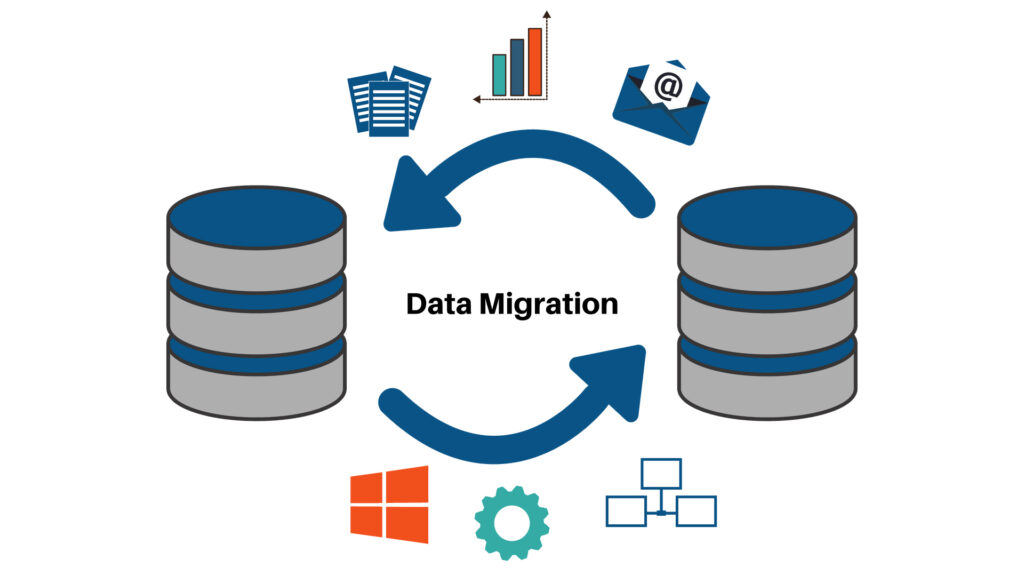
Data modeling and ETL (Extract, Transform, Load) tools are integral components of building effective data warehouses and business intelligence systems. Utilizing an ETL tool for data modeling involves designing and implementing the structure of your data as it moves from source systems to the target data warehouse or data repository. Here’s a comprehensive guide on how to approach data modeling using an ETL tool
Understanding the Concepts
Data Modeling
Data modeling is the process of creating a visual representation of an information system or parts of it to enforce business rules and requirements. It typically involves three levels:
- Conceptual Data Model: High-level overview, focusing on business entities and relationships.
- Logical Data Model: Detailed structure, defining tables, columns, data types, and relationships without considering how they will be implemented physically.
- Physical Data Model: Implementation-specific details, including indexing, partitioning, and physical storage considerations.
ETL Tools
ETL tools facilitate the extraction of data from various source systems, transformation of data into a suitable format or structure for querying and analysis, and loading the transformed data into a target system (like a data warehouse).
Steps to Perform Data Modeling Using an ETL Tool
1. Define Objectives and Requirements
- Understand Business Needs: Collaborate with stakeholders to determine what data is needed, the business processes involved, and the objectives of the data warehouse or analytics system.
- Identify Data Sources: Catalog all source systems, databases, files, APIs, etc., that will feed data into the data warehouse.
2. Design the Data Model
- Choose a Modeling Approach:
- Star Schema: Central fact tables connected to dimension tables. Ideal for simplicity and query performance.
- Snowflake Schema: A more normalized version of the star schema, where dimension tables are further broken down.
- Normalized Models: Used in transactional systems to reduce redundancy.
- Define Entities and Relationships: Identify the key entities (e.g., Customers, Products, Sales) and how they relate to each other.
- Determine Attributes: Specify the attributes for each entity, including data types and constraints.
3. Select an ETL Tool
Choose an ETL tool that supports robust data modeling capabilities. Popular ETL tools include:
- Informatica PowerCenter
- Microsoft SQL Server Integration Services (SSIS)
- Talend
- Apache Nifi
- IBM DataStage
- Pentaho Data Integration
4. Extract Data from Source Systems
- Connect to Data Sources: Use the ETL tool to establish connections to all identified data sources.
- Data Extraction: Extract the required data, ensuring that all necessary fields and records are captured.
5. Transform Data to Fit the Data Model
- Data Cleaning: Remove duplicates, handle missing values, correct inconsistencies.
- Data Transformation:
- Mapping: Map source data fields to target data model fields.
- Aggregation: Summarize data as needed for fact tables.
- Normalization/Denormalization: Depending on the target schema, normalize or denormalize data.
- Derivation: Create new calculated fields or derive values based on business rules.
- Data Type Conversion: Ensure data types match the target schema requirements.
- Implement Business Rules: Apply any business logic required for data consistency and integrity.
6. Load Data into the Target System
- Define Loading Strategy:
- Full Load: Load all data from scratch, typically used initially or for small datasets.
- Incremental Load: Load only new or changed data, essential for large or continually updating datasets.
- Load Data According to the Data Model: Use the ETL tool to insert or update data in the target data warehouse, adhering to the designed data model structure.
7. Validate and Test the Data Model
- Data Validation: Ensure that data loaded into the target system matches the source data in terms of completeness and accuracy.
- Schema Validation: Verify that the data adheres to the defined data model’s schema, including data types, relationships, and constraints.
- Performance Testing: Assess query performance and optimize as needed, potentially adjusting the data model or ETL processes.
- User Acceptance Testing (UAT): Have end-users validate that the data meets their needs and that the model supports their reporting and analysis requirements.
8. Maintain and Evolve the Data Model
- Monitor ETL Processes: Continuously monitor the ETL workflows for performance, failures, and data quality issues.
- Handle Changes: As business requirements evolve, update the data model and corresponding ETL processes to accommodate new data sources, attributes, or relationships.
- Documentation: Keep thorough documentation of the data model, ETL processes, transformations, and business rules for future reference and maintenance.
Best Practices
- Collaborate with Stakeholders: Engage business analysts, data architects, and end-users throughout the modeling and ETL process to ensure the model meets business needs.
- Iterative Development: Use an iterative approach to refine the data model and ETL processes based on feedback and testing.
- Data Quality Management: Implement robust data quality checks within the ETL process to maintain data integrity.
- Scalability and Performance: Design the data model and ETL workflows to handle growing data volumes and complex queries efficiently.
- Metadata Management: Use the ETL tool’s metadata management features to track data lineage, transformations, and dependencies.
Utilizing ETL Tool Features for Data Modeling
Many ETL tools offer features that facilitate data modeling:
- Graphical Interfaces: Visual designers for mapping data flows and transformations, making it easier to design and understand the data model.
- Data Profiling: Tools to analyze source data, helping to inform data modeling decisions.
- Metadata Management: Central repositories for metadata that document the data model, transformations, and data lineage.
- Automated Transformations: Pre-built transformations and data cleansing functions that support implementing the data model’s requirements.
- Integration with Data Modeling Tools: Some ETL tools integrate with dedicated data modeling software (e.g., ER/Studio, PowerDesigner) to synchronize models and ETL processes.